Admin & Settings
The service center dashboard: invite your team, track voice hours, manage seats, and handle billing.
Admin Training Video
A guided tour of the service center dashboard: team, hours, and billing in one walkthrough.
Who this is for & how to get there
The Service Center dashboard is for shop owners and admins. Open the menu and choose Dashboard under Service Center (technicians see their own workspace instead). Everything below lives in one tabbed screen.
Note: on the iPhone app, the Billing and Hardware tabs are hidden per App Store rules, so manage those from the web app at your computer.
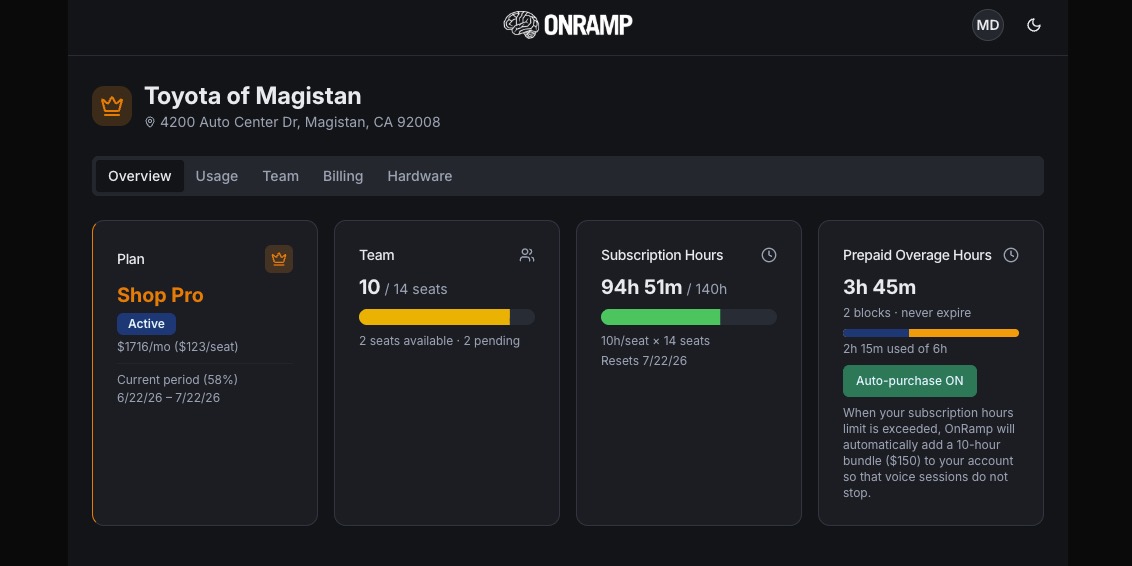
Overview: your shop at a glance
The landing tab. Four cards summarize your plan, your team seats, your voice-hour pool, and your prepaid overage hours, with clear banners the moment anything needs attention.
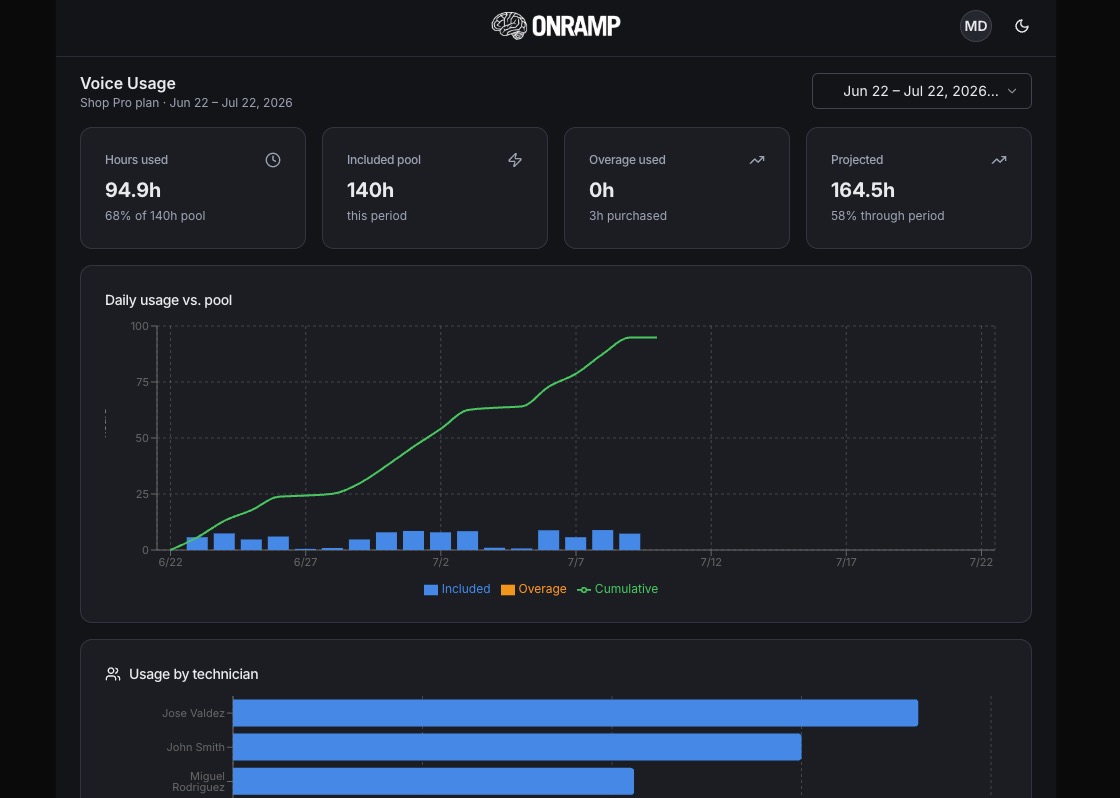
Usage: where your hours go
The analytics tab. See exactly how your shop is consuming voice minutes over the billing period and which technicians are driving it.
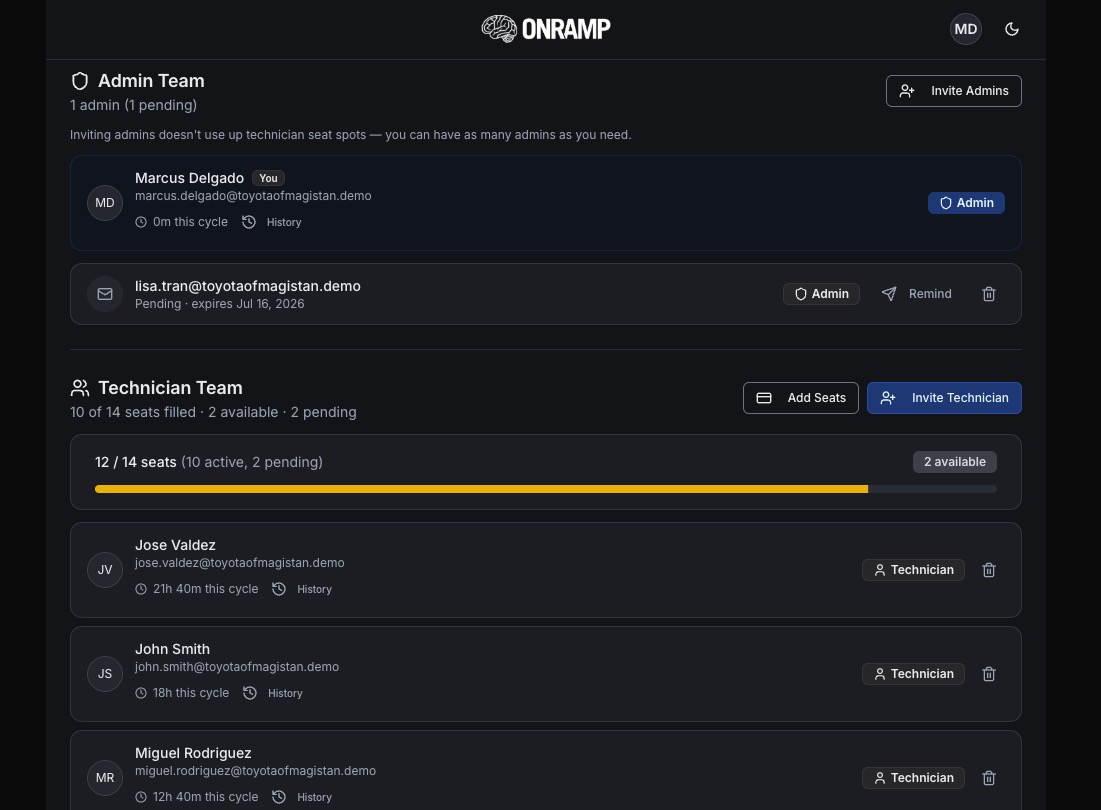
Team: invite and manage your people
Everything about the humans in your shop: admins, technicians, invitations, and per-tech usage. Admins don't consume a technician seat; only technicians do.
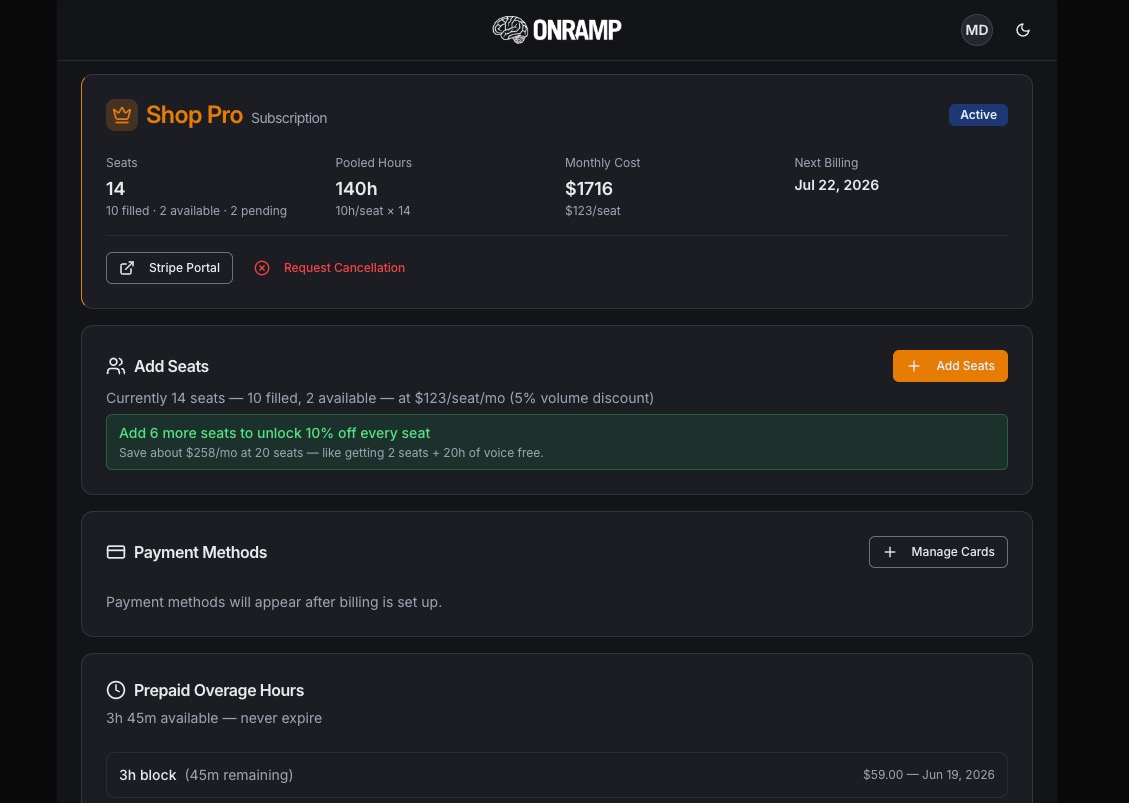
Billing: seats, hours, and payment
Manage your subscription, buy more capacity, and keep payment current. (On the iPhone app this tab is hidden per App Store rules, so use the web app at your computer for billing.)
Hardware: your Brain Buttons
Track orders for Brain Buttons and accessories: order date, total, status, and tracking. (Also hidden on the iPhone app, so order hardware from the web app.)
Quick answers
Need a hand?
Questions about seats, billing, or getting your team set up? The ONRAMP team is happy to help. Email us at support@getonramp.io.
Email Support→